
PocketOption Guide
Everything You Need to Know Before Trading
In this guide I’ll walk you through everything you need to know about PocketOption — the platform I personally use and feature in all my strategy videos.
Whether you’re a beginner just opening a demo account or an experienced trader looking to optimize payouts, this guide covers all the essentials in one place.
For a video tutorial on how the platform works check my related beginner video on YouTube.
🎯 What Is PocketOption?
PocketOption is a globally recognized binary options trading platform, known for its:
- Simple, modern interface
- Fast trade execution
- 100+ assets (currencies, crypto, commodities, and stocks)
- Short-term expirations as low as 5 seconds
- And a free demo account for unlimited practice

The platform is designed for both speed and clarity, making it an excellent choice for traders who use visual strategies based on indicators like RSI, MACD, Fractals, and SuperTrend — the same ones I showcase in my videos.
🧭 Account Setup and First Steps
Go to PocketOption using this verified link:
👉 Sign Up at PocketOption
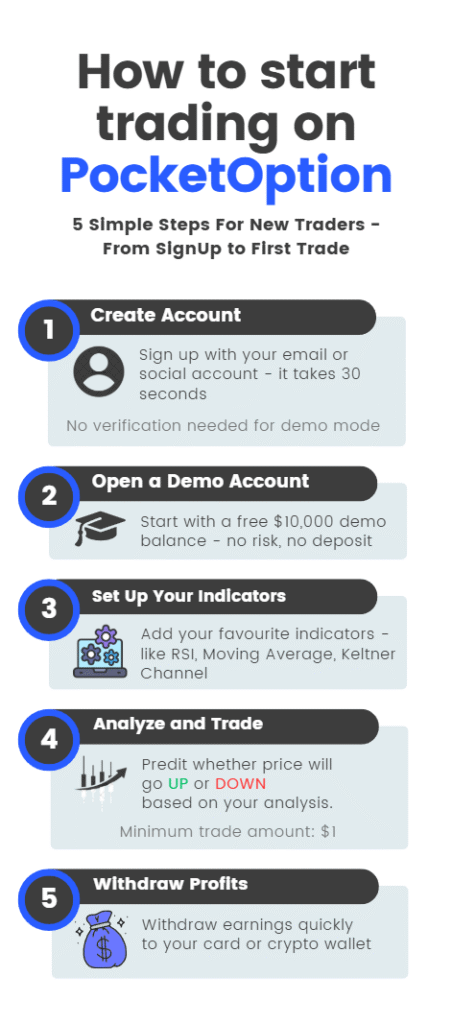
- Choose “Sign up with Google” for a one-click registration, or create a new account with email.
- Start with the Demo Account to practice using virtual funds.
- Once ready, switch to your Real Account — you can begin trading with as little as $10.
💡 Pro Tip: Use promo code during your first deposit to receive 50 % bonus automatically.
⚙️ Setting Up Your Trading Environment
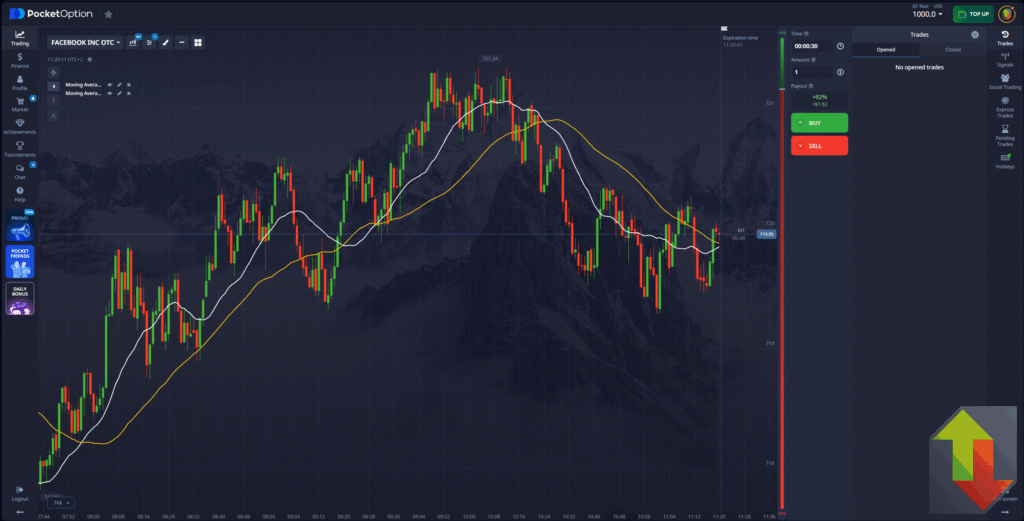
PocketOption provides all major indicators used in my strategies:
- Moving Averages (SMA, EMA)
- RSI
- MACD
- Keltner Channels
- SuperTrend
- Aroon, Vortex, ZigZag, and more
You can customize line thickness, colors, and periods directly from the chart settings.
I usually trade on 30 seconds or 1-minute charts with 30-second or 1-minute expiries (sometimes mixing them), but you can experiment with higher timeframes once you gain confidence.
💡 How to Place a Trade
- Select your asset (e.g., EUR/USD, BTC/USD).
- Set your trade amount (start small — $1 or $2).
- Choose expiry time (e.g., 30 seconds, 1 minute, 5 minutes).
- Perform market analysis based on your preferred strategy.
- Click UP (Call) or DOWN (Put) depending on your signal.
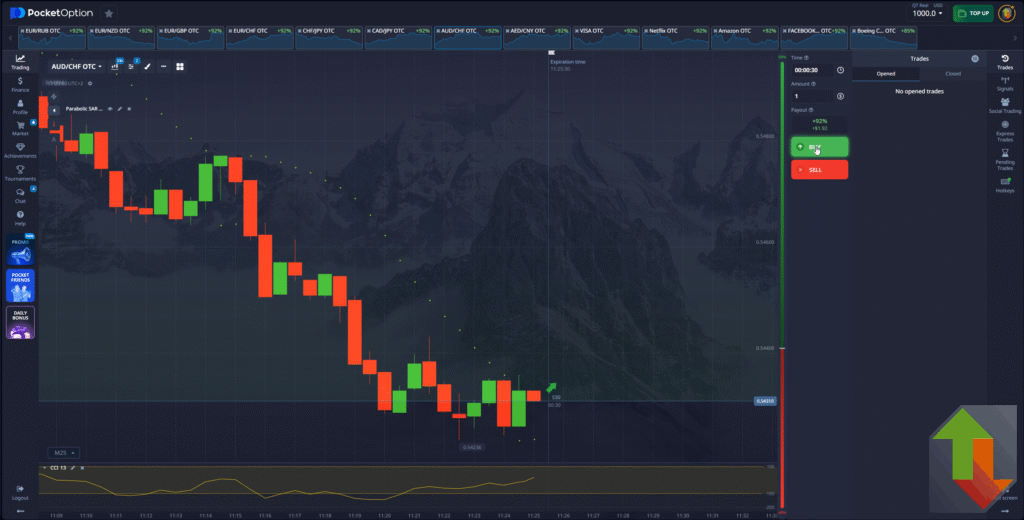
You’ll instantly see the potential payout percentage before confirming your trade.
📈 Payouts and Assets
PocketOption offers dynamic payouts, typically between 80–92 % depending on asset liquidity and market conditions.
The platform supports:
- Major currency pairs (EUR/USD, GBP/JPY, USD/CHF, etc.)
- Cryptocurrencies (Bitcoin, Ethereum, Litecoin, and more)
- Commodities (Gold, Silver, Oil)
- Indices and selected stocks
💡 Tip: Always keep your watchlist updated — remove pairs with low payout and replace them with better ones.
🧠 Recommended Strategies
If you’re not sure where to begin, start with these strategies featured on BinaryTrader:
Each guide includes step-by-step charts, example trades, and embedded videos from my channel.
💰 Deposits and Withdrawals
PocketOption accepts a wide variety of payment methods:
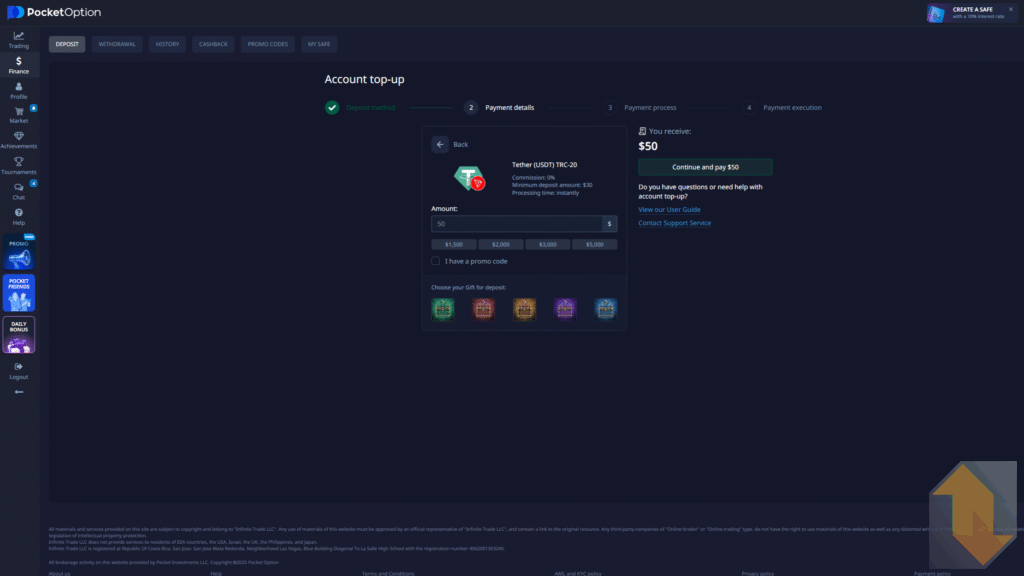
- Crypto (BTC, ETH, USDT, LTC, etc.)
- Credit/Debit cards (Visa, Mastercard)
- E-wallets (Skrill, Neteller, Perfect Money)
Minimum deposit: $5 (using crypto networks like Bitcoin or Litecoin)
Minimum withdrawal: $10
Withdrawals are typically processed within 1 business day.
For convenience and privacy, I personally prefer crypto deposits.
⚠️ Important Risk Reminder
Trading binary options involves high risk and may not be suitable for everyone.
Your capital is at risk — only trade with funds you can afford to lose.
The information on this website is for educational purposes only and does not constitute financial advice.
Always practice on demo first and trade responsibly.
👉 Read the full Risk Disclaimer
📺 Watch My PocketOption Tutorials
If you prefer learning visually, watch my step-by-step tutorials on YouTube where I demonstrate live trades using PocketOption:
🎥 Binary Trader YouTube Channel
🔚 Final Thoughts
PocketOption remains my preferred platform for binary options because it provides:
- Reliable execution
- Flexible expiries
- A complete set of indicators
- And a transparent, intuitive interface
If you’re serious about learning binary trading, start risk-free with a demo, master your strategy, and move to real trading gradually.
🚀 Start Trading Today
👉 Open a Free PocketOption Demo Account
👉 Use Promo Code for 50 % Bonus
👉 Learn Proven Strategies